Gosund P2 Power Strip
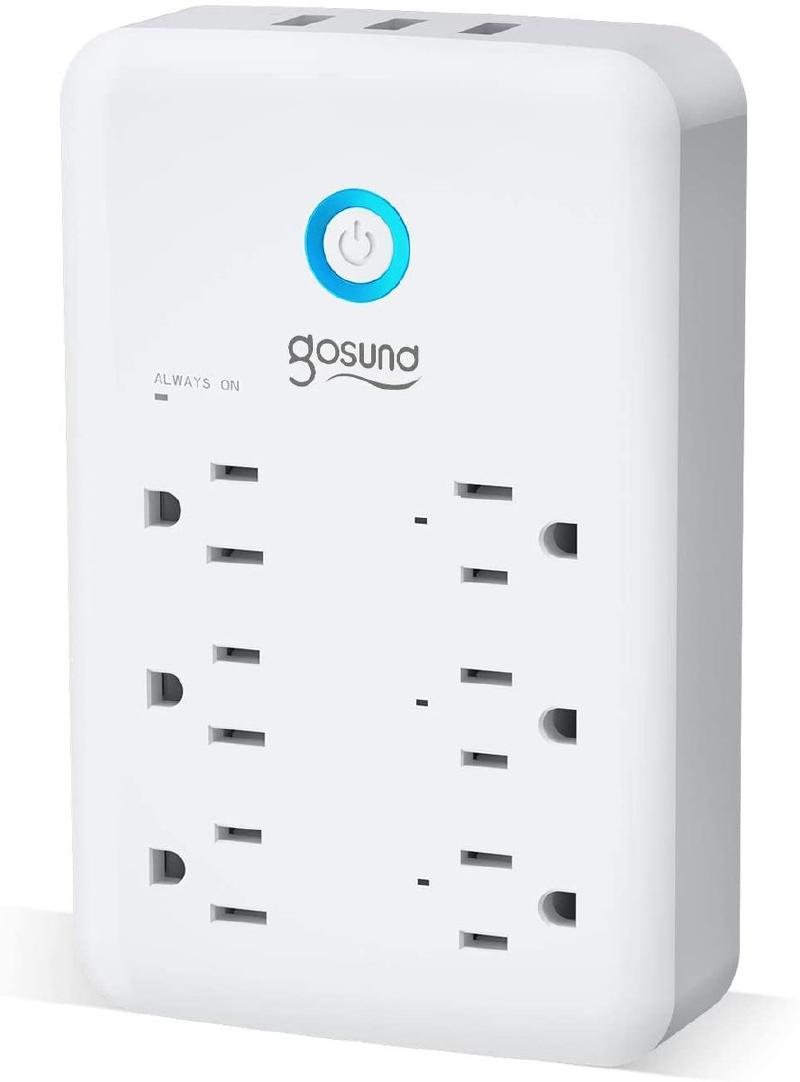
Gosund P2 Wall Outlet
Smart Outlet, Gosund Wall Outlet Extender (15A/1800W), Multi WiFi Plug with 3 USB Ports (5V/3A 24W) and 6 Outlet Wall Adapter Plug Expanders Surge Protector Works with Alexa and Google Home
Newer version
NOTE: There are newer versions of this circulating that have an ESP8265 chip in them. If you use the esp01_1m config for these, they will go into a reboot loop. You must use board: esp8285 for these devices. Possible distinguishing marks are FCC ID: 2APUZ-P2 or a date of 04/2021 printed on the back.
These newer versions also have the USB power control and LEDs opposite of the previous version
GPIO Pinout
| Pin | Function |
|---|---|
| GPIO02 | ledlink |
| GPIO05 | Relay4i - USB |
| GPIO12 | Relay1 |
| GPIO13 | Relay2 |
| GPIO14 | Relay3 |
| GPIO16 | Button1 |
Basic Configuration
For versions produced before 04/2021:
substitutions:
  name: plug_strip
  upper_name: Plug Strip
  platform: ESP8266
  board: esp01_1m
esphome:
  name: $name
  platform: $platform
  board: $board
<<: !include ../secrets.yaml
binary_sensor:
  - platform: gpio
    pin:
      number: GPIO16
      mode: INPUT_PULLUP
      inverted: yes
    name: "${upper_name} Power Button"
    id: "${name}_power_button"
    on_press:
      then:
        - switch.toggle: "${name}_usb"
        - switch.toggle: "${name}_switch1"
        - switch.toggle: "${name}_switch2"
        - switch.toggle: "${name}_switch3"
switch:
  - platform: gpio
    name: "Wall ${upper_name} Switch1"
    id: "${name}_switch1"
    pin: GPIO12
    inverted: no
    restore_mode: "RESTORE_DEFAULT_ON"
  - platform: gpio
    name: "Wall ${upper_name} Switch2"
    id: "${name}_switch2"
    pin: GPIO13
    inverted: no
    restore_mode: "RESTORE_DEFAULT_ON"
  - platform: gpio
    name: "Wall ${upper_name} Switch3"
    id: "${name}_switch3"
    pin: GPIO14
    inverted: no
    restore_mode: "RESTORE_DEFAULT_ON"
  - platform: gpio
    name: "Wall ${upper_name} usb"
    id: "${name}_usb"
    pin: GPIO05
    inverted: no
    on_turn_on:
      - switch.turn_on: ledwhite
      - switch.turn_on: ledblue
    on_turn_off:
      - switch.turn_off: ledwhite
      - switch.turn_off: ledblue
  - platform: gpio
    id: ledwhite
    pin: GPIO0
    inverted: no
  - platform: gpio
    id: ledblue
    pin: GPIO2
    inverted: no
For versions produced after 04/2021:
substitutions:
  name: plug_strip
  upper_name: Plug Strip
  platform: ESP8266
  board: esp8285
esphome:
  name: $name
  platform: $platform
  board: $board
<<: !include ../secrets.yaml
binary_sensor:
  - platform: gpio
    pin:
      number: GPIO16
      mode: INPUT_PULLUP
      inverted: yes
    name: "${upper_name} Power Button"
    id: "${name}_power_button"
    on_press:
      then:
        - switch.toggle: "${name}_usb"
        - switch.toggle: "${name}_switch1"
        - switch.toggle: "${name}_switch2"
        - switch.toggle: "${name}_switch3"
switch:
  - platform: gpio
    name: "Wall ${upper_name} Switch1"
    id: "${name}_switch1"
    pin: GPIO12
    inverted: no
    restore_mode: "RESTORE_DEFAULT_ON"
  - platform: gpio
    name: "Wall ${upper_name} Switch2"
    id: "${name}_switch2"
    pin: GPIO13
    inverted: no
    restore_mode: "RESTORE_DEFAULT_ON"
  - platform: gpio
    name: "Wall ${upper_name} Switch3"
    id: "${name}_switch3"
    pin: GPIO14
    inverted: no
    restore_mode: "RESTORE_DEFAULT_ON"
  - platform: gpio
    name: "Wall ${upper_name} usb"
    id: "${name}_usb"
    pin: GPIO05
    inverted: yes
    on_turn_on:
      - switch.turn_on: ledwhite
      - switch.turn_on: ledblue
    on_turn_off:
      - switch.turn_off: ledwhite
      - switch.turn_off: ledblue
  - platform: gpio
    id: ledwhite
    pin: GPIO0
    inverted: yes
  - platform: gpio
    id: ledblue
    pin: GPIO2
    inverted: yes